
End the Terminal Staredown: Build Your Own Alert System with a Single CLI Command
As a developer, DevOps engineer, or data scientist, how many times do you find yourself in this exact scenario?
You are working on a weekday, and there is a 40-minute Docker build or a massive ML model training running in the background. You find yourself mindlessly staring at the watch command on your screen. Or perhaps you step away to brew a cup of plain, sugar-free Arabica coffee, but your mind is still anchored to that GitHub Actions pipeline. The lingering thought: “If it passes, we deploy. If it crashes, I won’t know until I check my inbox hours from now.”
This constant anxiety chains us to our desks.
When faced with this friction, the industry-standard reflex is to spin up a Telegram bot, configure a Slack webhook, or wrestle with third-party APIs. However, installing external libraries, managing API tokens, and dealing with bot permissions just to receive a simple “Deployment Failed” alert creates a massive operational overhead that ruins the Developer Experience (DX).
Engineering teams need calmer technologies.
Enter Calm Tech: The KokoNo Architecture
As a product team, one of the core principles shaping our approach to technology is Calm Technology. Systems should not bombard us with continuous noise; they should deliver critical information exactly when needed, requiring the absolute minimum effort from the user.
KokoNo was born precisely from this necessity within our own development ecosystem. The overarching goal during the architectural design phase was clear: figure out how to push real-time alerts to a mobile device using a single command, without relying on complex SDKs or heavy service installations.
The fundamental philosophy of KokoNo is straightforward: Zero SDK dependency.
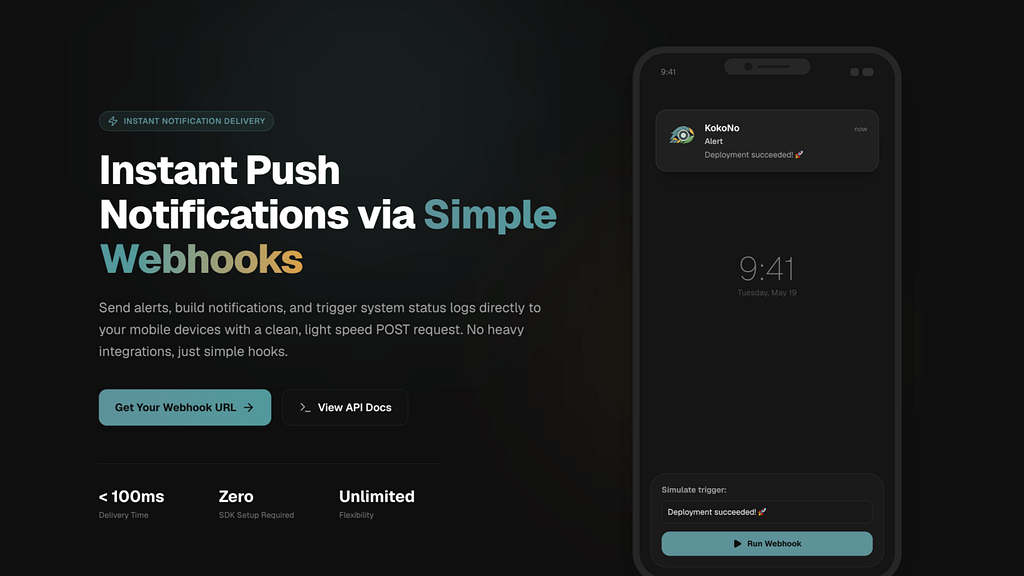
Once you download the iOS or Android app and create a “Connection”, you receive a unique Trigger URL and token. Using this URL or token, a simple CLI command executed from your terminal delivers the notification to your pocket in milliseconds.
A CLI-First Approach to System Alerts
During the UX and product strategy phases, the primary focus was ensuring developers could integrate this into their workflows without ever leaving the terminal or breaking their focus. For instance, appending a standard notification to the end of a pipeline or script is as simple as this:
# Standard Notification
npx -y @cmd-bin/kokono \
  --token="tok_B3qAOrC299OcgVFjUa" \
  --title="Build Failed" \
  --message="GitHub Action #434 failed on main" \
  --e2e="<BASE64_PUBLIC_KEY>"
Zero dependencies added to your project. No bots created. Just pure terminal execution.
Real-World Engineering Scenarios
Let’s look at a few practical use cases that elevate KokoNo from a simple “notification tool” to a core component of your daily development workflow.
1. CI/CD Pipeline & GitHub Actions Automation
Instead of monitoring progress bars, append a lightweight step to the end of your workflow file. Get the pipeline results delivered straight to your lock screen.
- name: Send Notification on Failure
  if: failure()
  run: |
    npx -y @cmd-bin/kokono \
      --token="${{ secrets.KOKONO_TOKEN }}" \
      --title="🚨 Deployment Failed!" \
      --message="Commit: ${{ github.sha }} - Workflow crashed." \
      --e2e="<BASE64_PUBLIC_KEY>"
2. Server Health-Checks & Uptime Monitoring
If you are managing independent products or maintaining enterprise infrastructure, finding out your server is down from your users is a worst-case scenario. A simple Bash cron job listening to your API responses can save the day when an HTTP 500 hits.
#!/bin/bash
STATUS=$(curl -o /dev/null -s -w "%{http_code}" https://api.yourservice.com/health)
if [ $STATUS -ne 200 ]; then
  npx -y @cmd-bin/kokono \
    --token="YOUR_TOKEN" \
    --title="🔥 Server Down!" \
    --message="Health check failed with status $STATUS" \
    --e2e="<BASE64_PUBLIC_KEY>"
fi
Scaling for Teams and Ensuring Security
While the standard usage is an excellent individual productivity hack, the architecture scales seamlessly for professional environments, introducing powerful capabilities for scaling to Pro environments:
- Public Connections (On-Call Teams): Do critical system alerts need to reach an entire team simultaneously? You can easily create a Public Connection in KokoNo and connect the team. While this functionality is available from the start, upgrading to the Pro tier unlocks its true scaling potential: unlimited device pairing and a 10,000 alert/month capacity. One request instantly rings every on-call engineer’s device at the exact same time, effectively replacing complex incident management routing.
Zero-Knowledge E2E Encryption
Passing sensitive customer data or database logs in plaintext through third-party servers is a massive security risk. This was the most heavily scrutinized aspect of the underlying architecture. KokoNo offers true End-to-End Encryption. Your payload is encrypted locally on your machine and can only be decrypted by the physical hardware of the target mobile device.
Executing this encrypted payload via CLI is just as effortless as a standard alert. You simply append the --e2e parameter with your public key:
# E2E Encrypted Notification (encrypted locally)
# Uses ECIES: X25519 public key & AES-256-GCM local encryption
npx -y @cmd-bin/kokono \
  --token="tok_B3qAOrC299OcgVFjUa" \
  --title="Secret Alert" \
  --message="System DB is down" \
  --e2e="<BASE64_PUBLIC_KEY>"
Open Source Transparency
We know that security-conscious developers don’t just take “E2E encryption” as a marketing promise. If you want to see exactly how this local encryption is executed on your device before it ever touches the network, you can review our open-source implementation on GitHub:
👉 Link: https://github.com/cmd-bin/tools/tree/main/packages/kokono
Summary: Why KokoNo?
If the time spent integrating a new internal tool exceeds the time it saves, it is a failure of product design.
With traditional bots, you spend at least 20 minutes creating apps, wrestling with permissions, and installing SDKs. With KokoNo, downloading the app and completing the setup takes just 30 seconds. By executing a single line of code from any environment, you reclaim your freedom and focus.
Over to You
Our time is far too valuable to be spent watching terminal loading bars.
If you want to introduce a frictionless notification experience into your development pipelines, you can download the app (iOS and Android) and test your first alert right now. Getting started is completely free.
👉 Visit kokono.me to explore the architecture and grab your first connection in seconds.